
Intelligence Cloud home

After Call · Intelligence, Captured

Each promise made on a call lands on a list.

Follow Through You Can See.

Within minutes of hang-up, each call comes back with a summary, the moments that mattered, and each promise made on it written as a task, ready for a name and a due date. Nobody types the note.

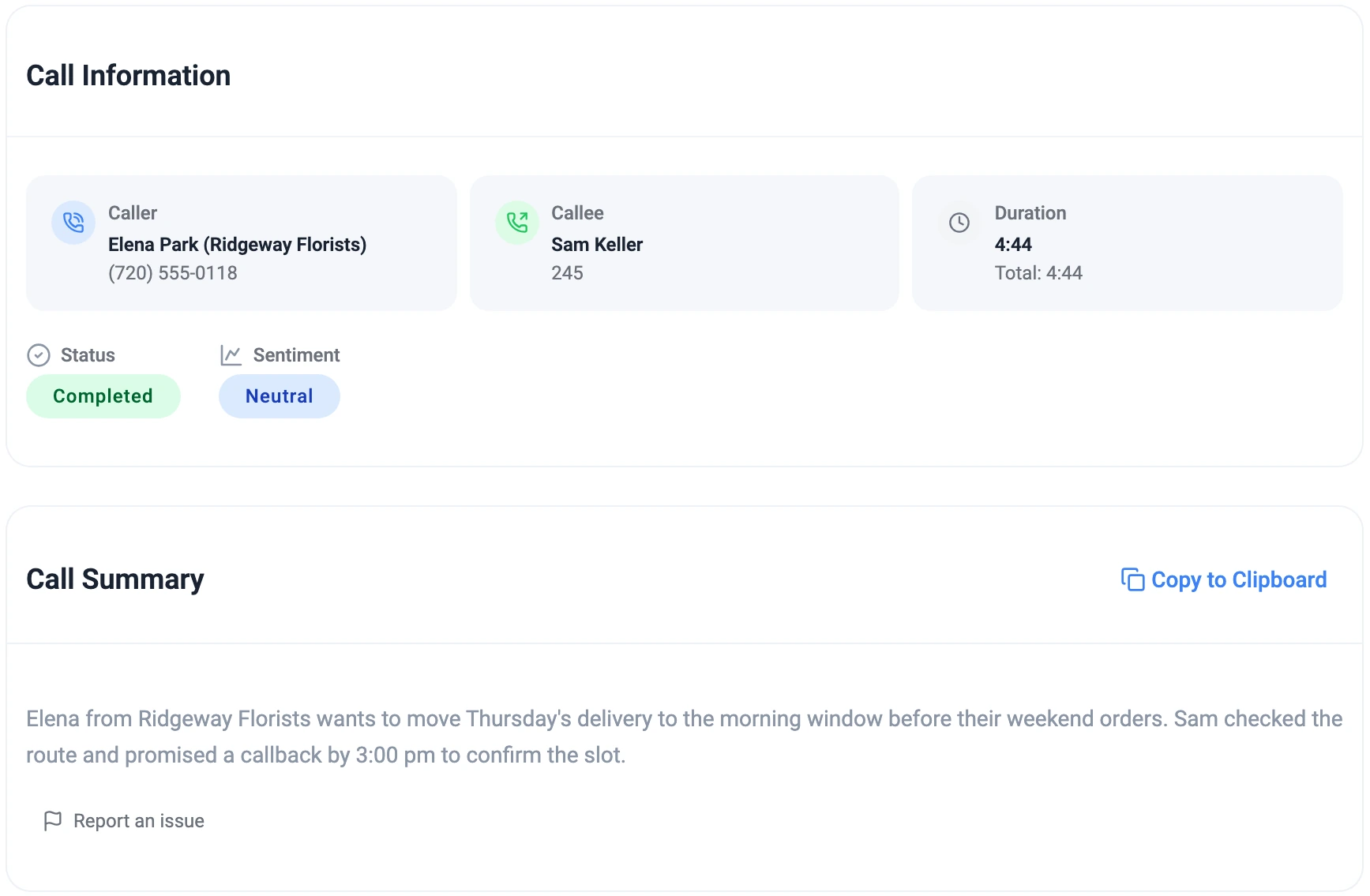
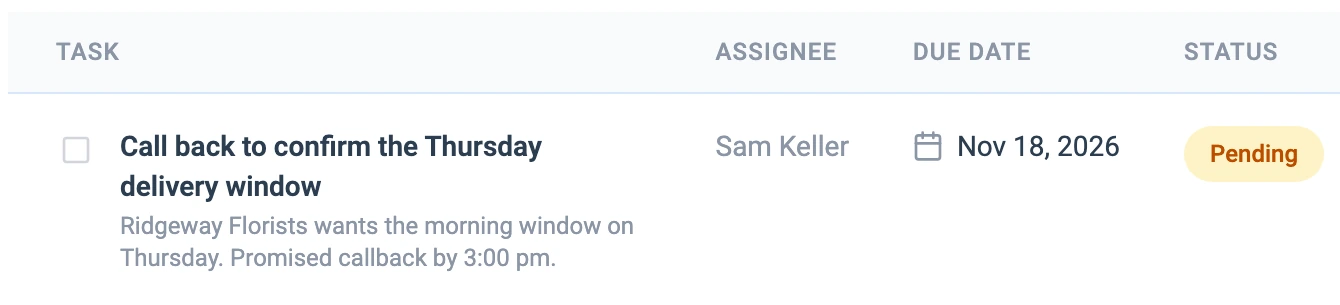
Part of a call in After Call: the caller Elena Park of Ridgeway Florists, Sam Keller who took the call, the duration, and the written summary saying Sam promised a callback by 3:00 pm to confirm the delivery slot. The task from that call: Call back to confirm the Thursday delivery window, assigned to Sam Keller, due November 18, status Pending.

The promise made at 9:58 is on a list by 10:05.

A florist calls to move Thursday's delivery to the morning. Sam checks the route and says he will call back by three to confirm. Then the phone rings again, and again.

The bit a busy team keeps dropping is the promise made in the middle of the call. After Call writes it down as a task, with the time that was promised, and keeps it in front of the person who made it.

How managers keep track of it
  1. 9:58 am

    Elena Park of Ridgeway Florists calls. Sam Keller takes it.

  2. 10:02 am

    The call ends. Sam picks up the next one.

  3. 10:05 am

    The call is at the top of Sam's list, with the summary and a task: call back to confirm the Thursday window by 3:00 pm.

    The recap is in his inbox.

  4. 2:40 pm

    Sam calls Elena back with the morning slot and ticks the task done.

  5. 5:00 pm

    Keisha Williams, the operations manager, gets her daily digest: the day's calls and the tasks still open.

    Sam's callback is not on the open list.

The whole call on one page, written up before the next one starts.

Who called and who answered, with names, numbers, time, direction and how long it ran. A plain summary of why they called, what was said and how it ended.

The key moments from the transcript, in order, so the turn in the call is one glance away. The full transcript and the recording are one click each, for the day a customer says "you told me".

One click copies the whole record, summary, key moments and tasks included, ready to paste into the work order, the account or the ticket.

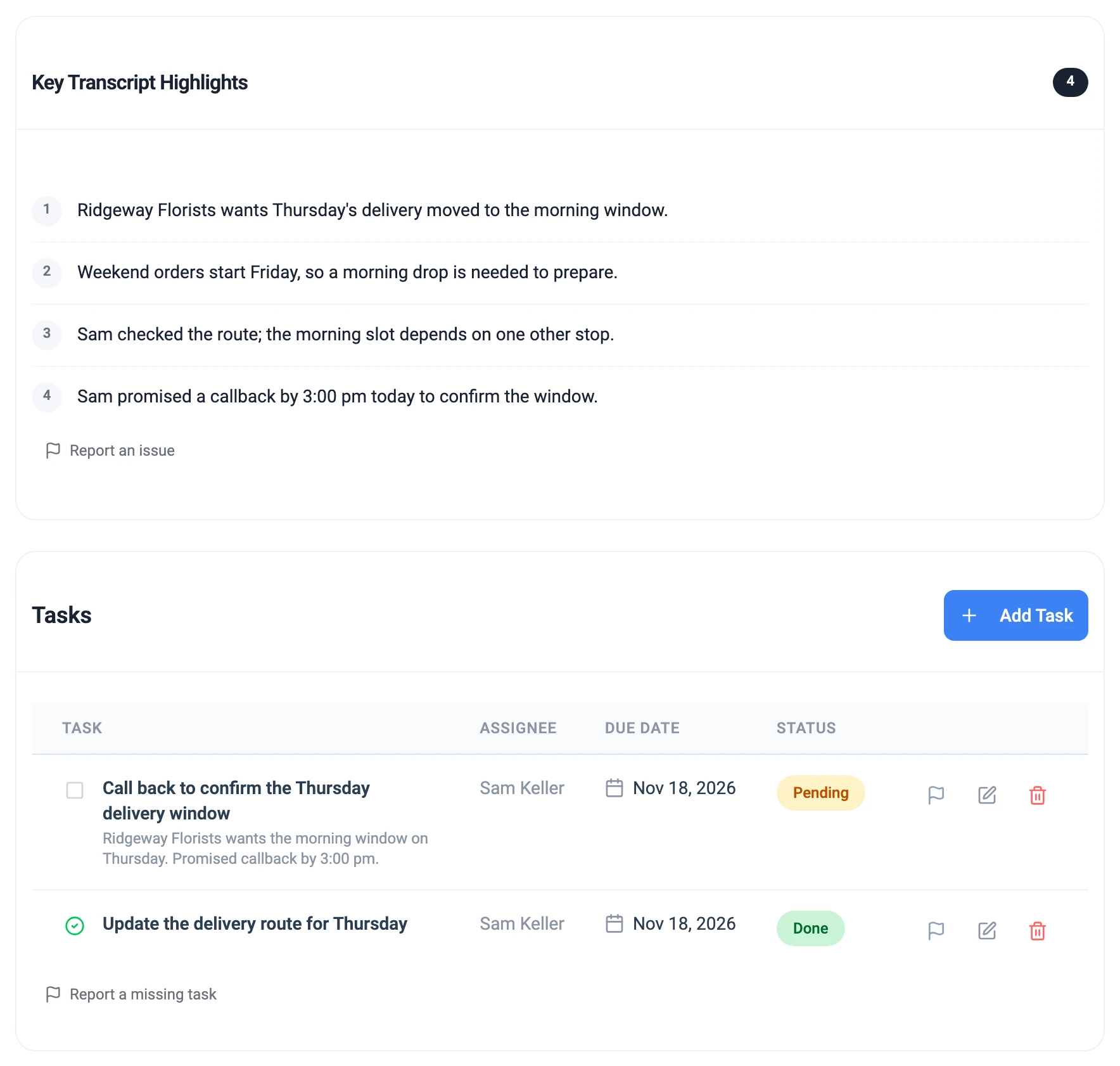
Key transcript highlights for a call, numbered one to four: the customer wants Thursday's delivery moved to the morning window, weekend orders start Friday, the employee checked the route, and he promised a callback by 3:00 pm. Below, the task list with the callback task Pending and a route update task Done, each with assignee and due date, and an Add Task button.

The recap reaches the person who took the call.

Minutes after each call, the person who took it gets the recap by email and finds the call at the top of their list in the app. The summary, the key moments and the tasks travel together.

Your business decides what an email carries: the full call details, or a link that opens behind sign-in.

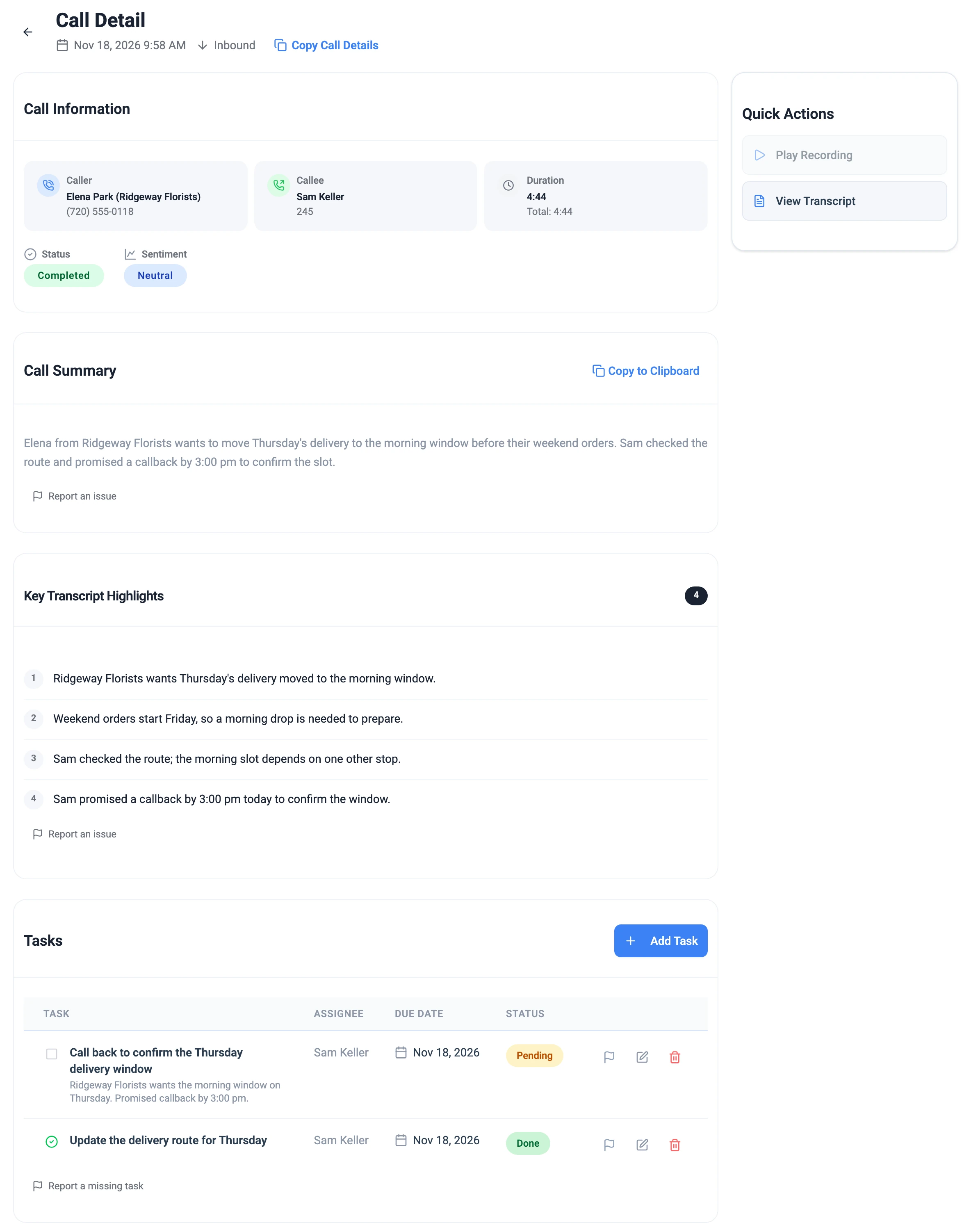
A call open in After Call. Call information shows the caller from Ridgeway Florists, the employee who took the call and the duration, with the status Completed and the sentiment Neutral. Below are the call summary, four key transcript highlights, and a task list with the task to call back and confirm the Thursday delivery window, its assignee, due date and status. On the right are buttons to play the recording and view the transcript.

Find the call by what was said.

Search the calls you can see by name, number, summary, key moment or transcript. Type an order number, a street or the word the customer used, and the call comes up. Search a number and that customer's calls come first.

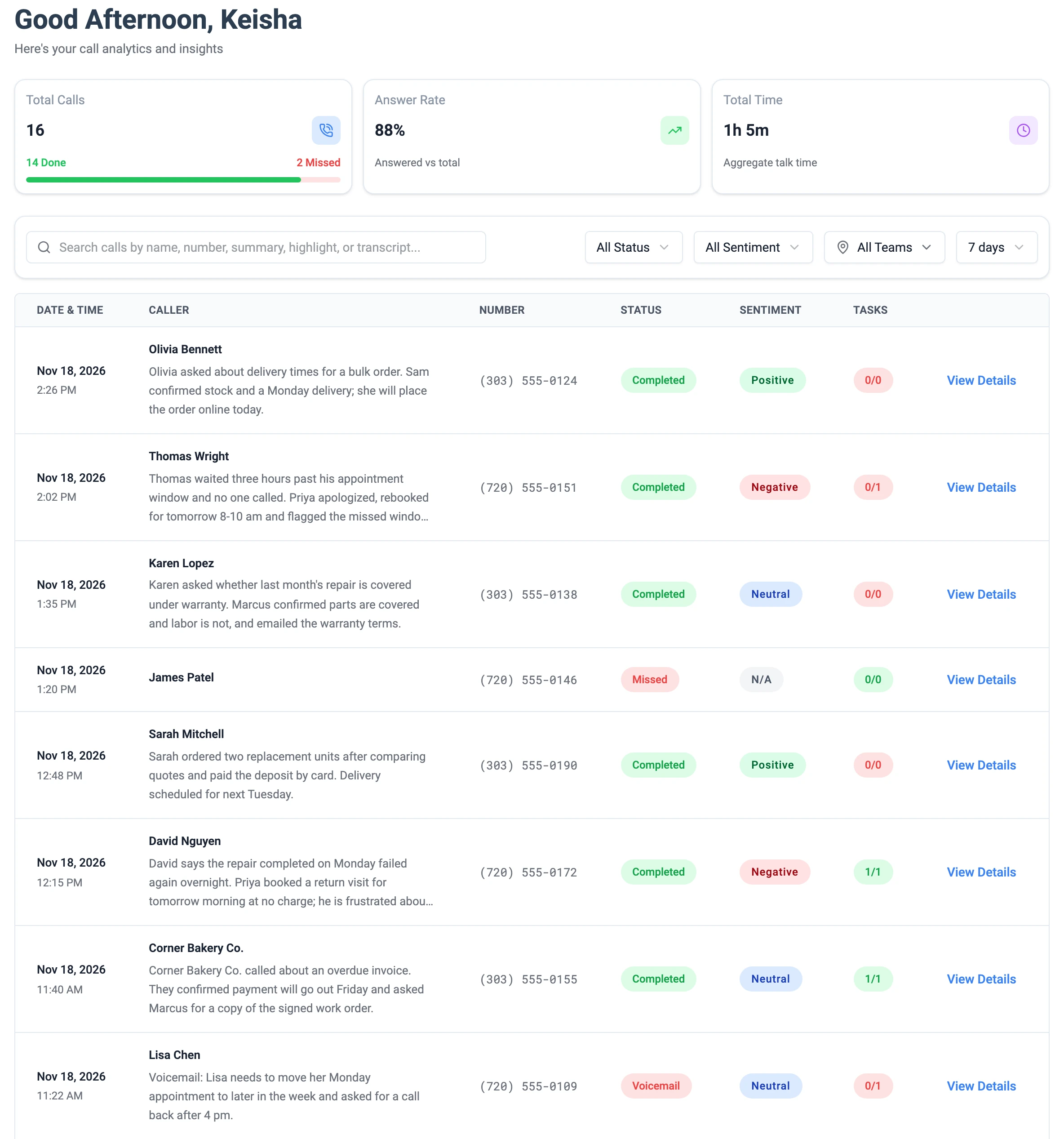
The After Call list for a manager. Totals for calls, answer rate and talk time across the top. A search box for name, number, summary, highlight or transcript, with filters for status, sentiment, team and date range. Each row shows the date and time, the caller with a short summary, the number, the call status, the sentiment, the open tasks and a View Details link.
Narrow the list by status, sentiment, team, date range or open tasks.

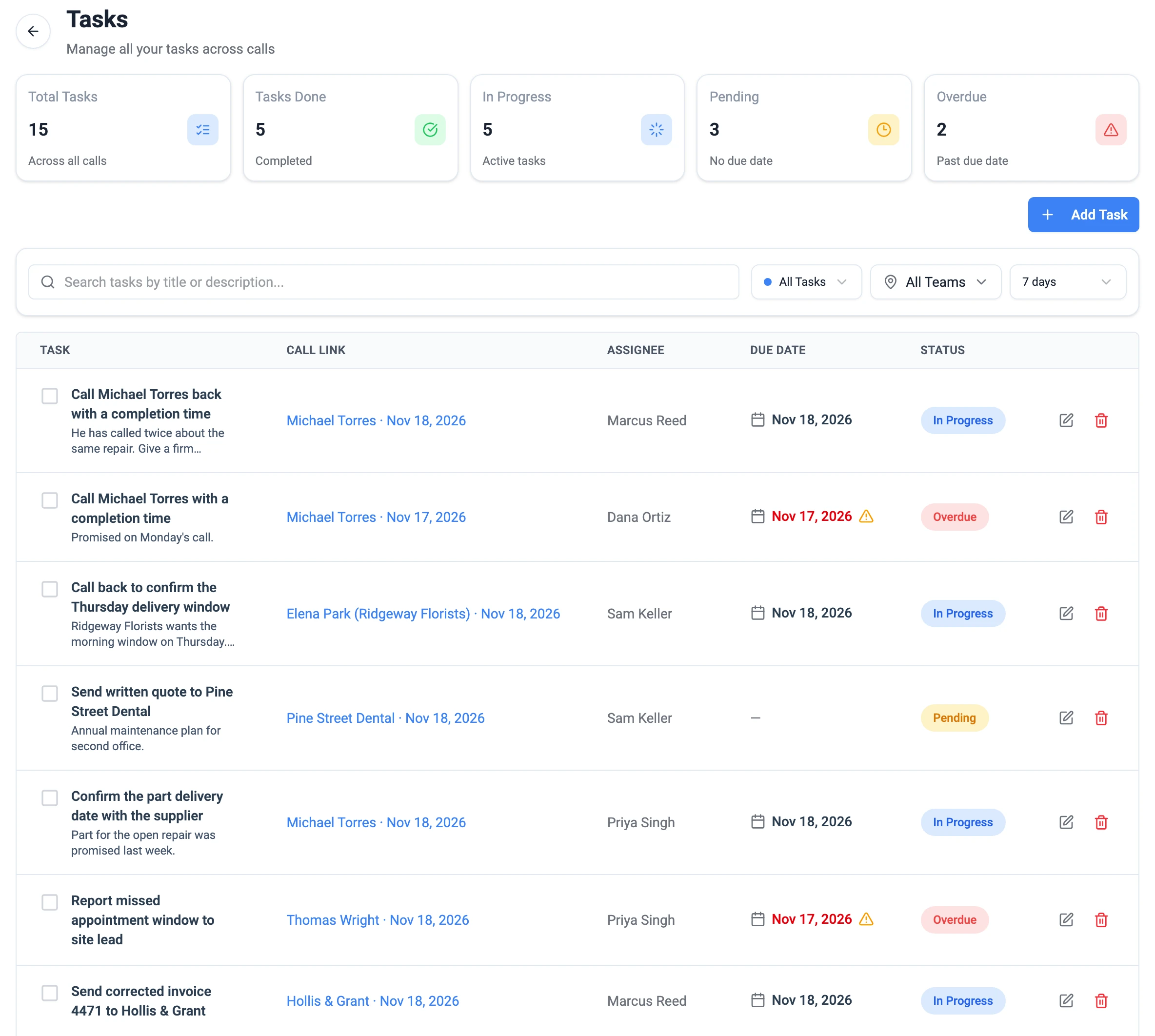
The Tasks page shows who owes what, and on which call.

The Tasks page gathers the follow-ups from your calls into one place, with counts across the top: done, in progress, pending and overdue.

Sam's list is the callbacks, quotes and confirmations he said he would do. He changes a due date, ticks a task done, or adds one the call left out, and it sits on the same list.

Keisha sees the tasks from the teams she runs. In the morning she puts a name on the overdue and the unowned. At midday she checks what is due, so "I'll call you back by noon" happens by noon.

The Tasks page. Counts across the top for total tasks, tasks done, in progress, pending and overdue. A search box with filters for status, team and date range. Each row shows the task with a short note, a link to the call it came from, the assignee, the due date with overdue dates in red, and a status of In Progress, Overdue or Pending.

Hand the task to the person who can keep the promise.

Open a task, choose a teammate and set a due date. They are told by email and in the app, and they get the call that goes with it: the summary, the key moments, the transcript and the recording.

The call opens for them even when it came in to a team they are not part of. Nothing else opens up. Take them off the task and the call closes again.

From there the task moves from pending to in progress to done, and the time it was closed is recorded on it.

Who can see which calls

The day's calls land in your inbox at the hour you pick.

Each person picks a daily digest, a weekly one, or both, and the hour it lands in their own time zone. The digest lists the day's calls and the tasks still open, with the owner and due date of each.

A recap after each call, a notice when a task is assigned, a reminder when one is nearly due: each switches on or off on its own.

Managers see their team's calls. Everyone sees their own.

Same screen, same search, each scoped to the person signed in.

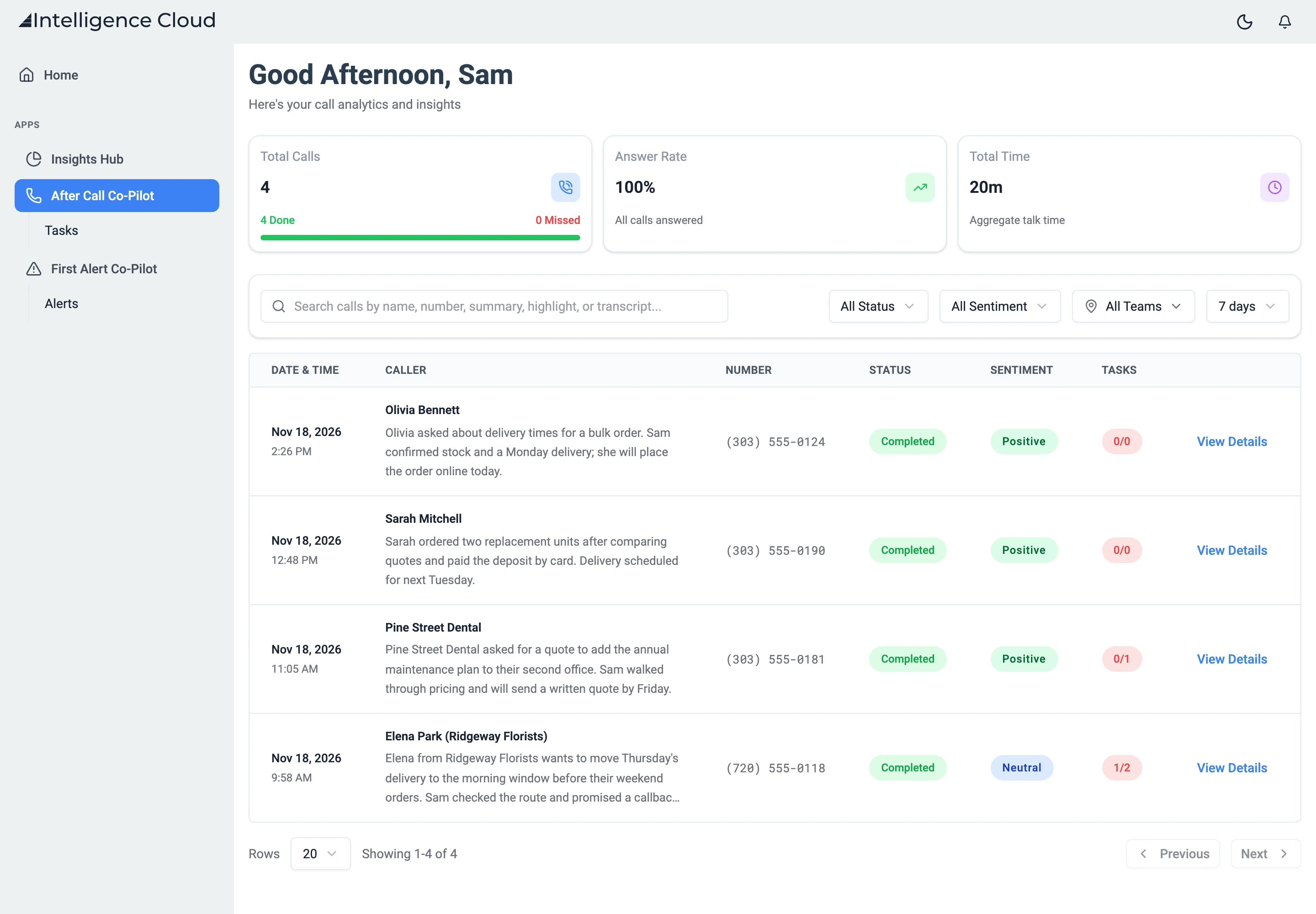
Sam sees his four calls. Keisha sees every team's.

Sam signs in and finds the calls he took today, with his own tasks. Keisha is the operations manager, so she sees the calls on every team.

She narrows the call list, the Tasks page and the dashboard to one team, a few or all of them: the North site front desk alone, then the whole North site.

A director sees every team under them. An executive sees the whole business. Hand someone a task and they see that call.

After Call as a frontline employee sees it. The greeting reads Good Afternoon, Sam, with four calls today, all answered. His list shows only the four calls he took, each with a summary, status, sentiment and open tasks.
Sam's view: his own four calls.

Set up the way the business is organized.

At a subscription service business, each support team lead sees their team's calls and tasks, the support director sees every support team, and onboarding, sales and billing each have their own lead. At a multi-site business, a manager sees their department, the site manager the whole site, and head office every site. At a single-site business, the owner sees every call, and each lead sees their own team. Your provider sets up the teams with you.

ExecutivesEvery team's calls and tasks
  • SupportSupport director sees both teams
    • Support team 1Team lead sees the team. Each agent sees their own.
    • Support team 2Team lead
  • OnboardingOnboarding lead
    • New accountsCoordinators see their own calls
  • Sales and billingA lead for each

Sees every teamOne team lead's viewA team and its calls

Send each call to your CRM without anyone typing it.

When a call is finished, an event goes to a web address your IT team provides, with who called, who answered, how long it ran and the summary. Log it on the account in your CRM, open a ticket from a follow-up, or send it to your reporting.

The full call, with the transcript, the tasks and the recording, can be read back into your own systems whenever you choose.

Call note · Ridgeway FloristsInbound · 9:58 am · North site - Sales

Elena Park wants Thursday's delivery moved to the morning. Sam Keller promised a callback by 3:00 pm to confirm the slot.

Follow-upOwnerDue
Call back to confirm the Thursday delivery windowSam KellerToday, 3:00 pm

Logged on the Ridgeway Florists account in the CRM, with a link back to the call.

Nobody types the note, and the callback still happens.

Your provider switches After Call on for the lines you have.

Talk to your provider